Choose what you respond to
Each entry pairs a style name with visual tags. Your selected names and tags become the starting material for the next stage.

 Art Archive
Choose visual anchors, reflect on their connections, and turn your response into a living p5.js artwork.
Open the archive ↗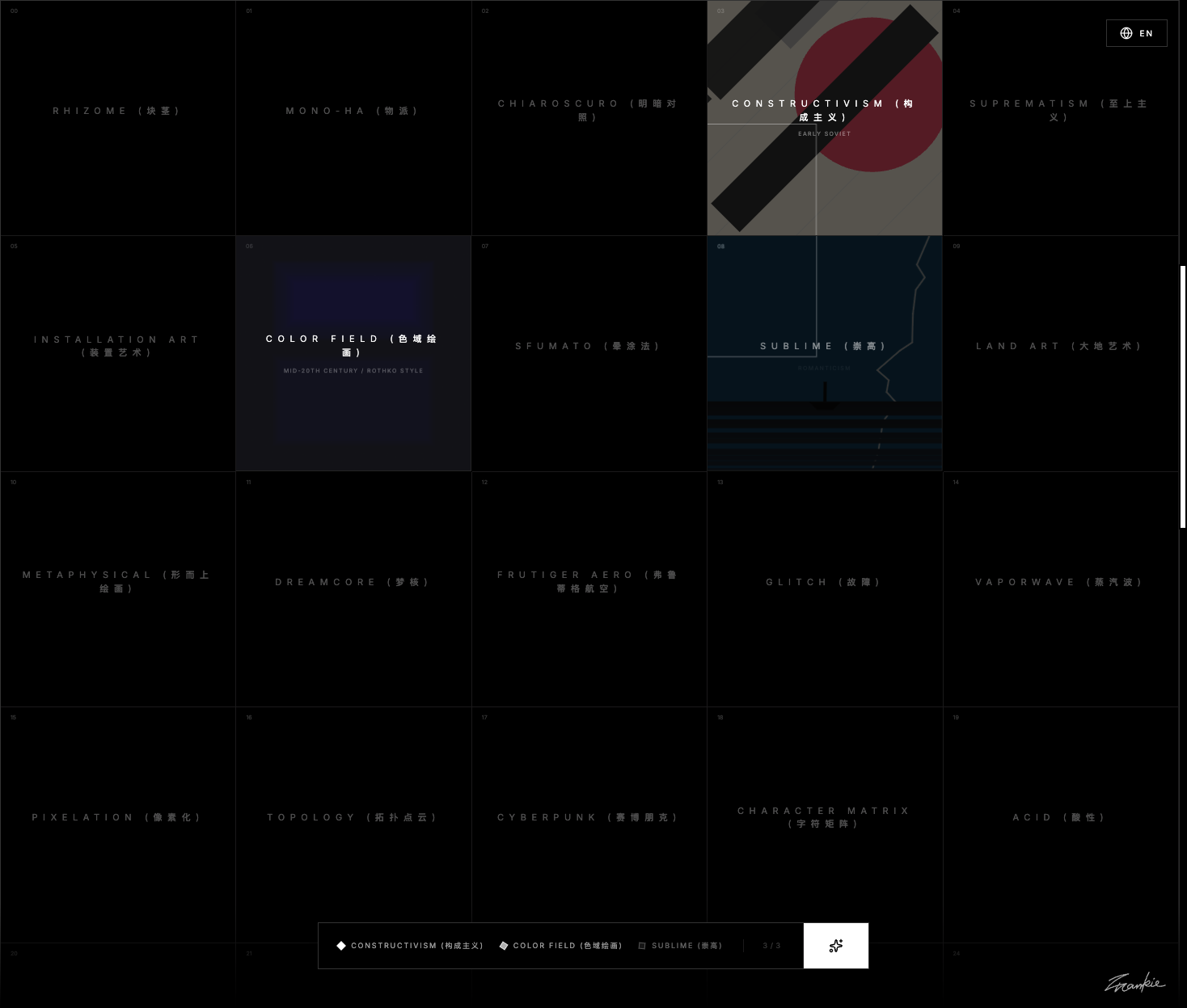
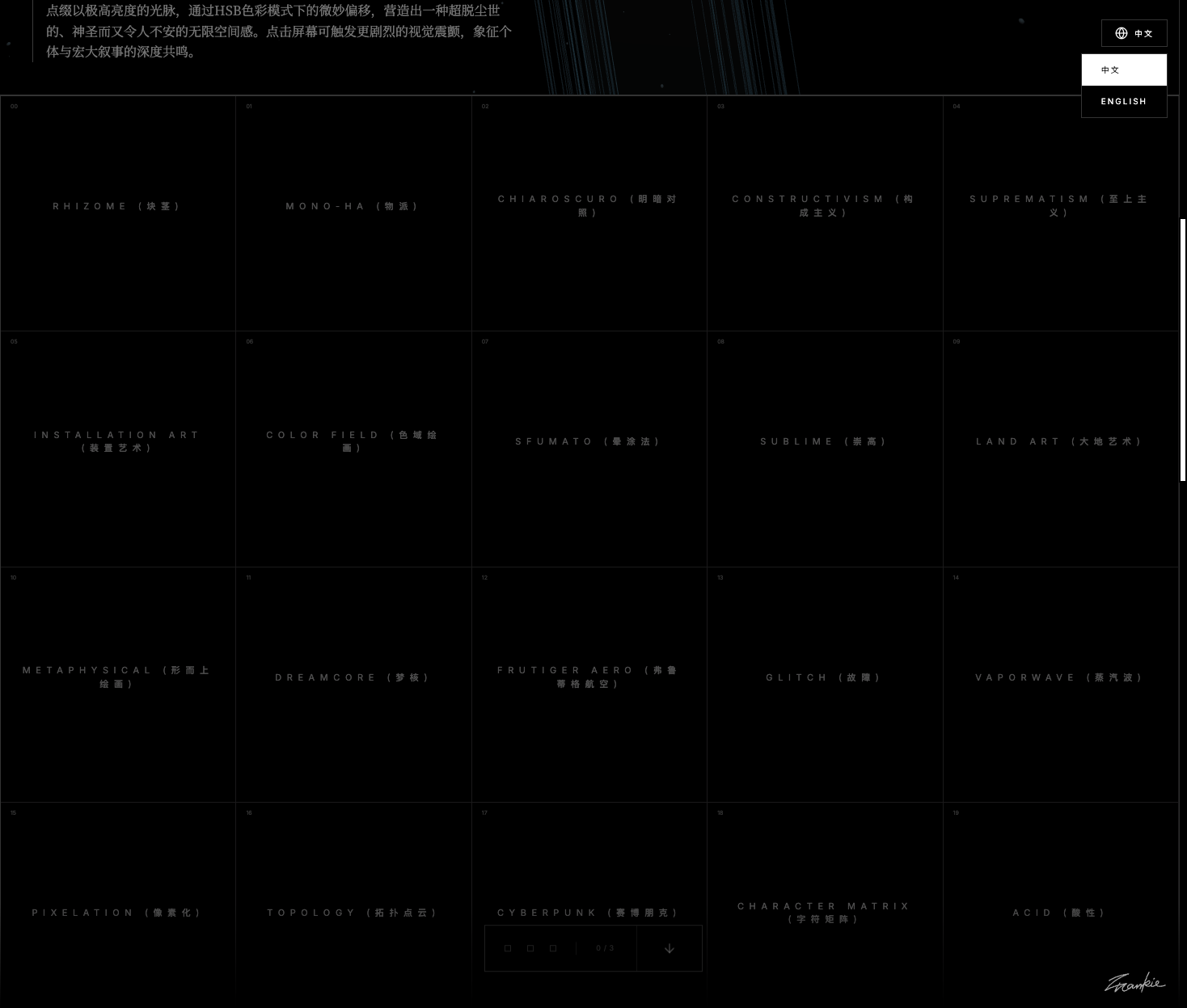
The archive is a collection of small programmed sketches, not a gallery of fixed images. Hover over a style to reveal its moving preview. Select one, two or three that catch your attention.
Each entry pairs a style name with visual tags. Your selected names and tags become the starting material for the next stage.
OpenAI returns a poetic aesthetic archetype, a short interpretation and a follow-up question. This is a creative prompt, not a psychological assessment.
Your response and selected styles are used to request three p5.js works: a pure generative sketch, a camera-reactive work and an audio-reactive work.
An anchor is simply a style you select. Try the three examples below to see the actual labels and visual tags the app uses.
This small selection demo reuses real archive metadata and stills of the app’s sketches. It makes no AI request and does not generate artwork. The full archive has more choices.
p5.js draws into a canvas. A setup function prepares the scene; a draw loop can redraw it over time or respond to input. That is why a preview can move, change with your pointer, or react to a camera or microphone.
The archive previews are written in the project. The final synthesis requests new code from OpenAI. Names in the archive are creative starting points, not a substitute for an art-history course.
p5.js draw() reference ↗
Scroll into the grid. Hover on desktop or select on touch. Choose one to three anchors; tap a selected entry again to remove it.
Use Generate Art to submit the selected styles. Read the interpretation and answer the follow-up question. The server’s current prompts request Chinese analysis and artwork descriptions, even with the English interface.
Use the arrows to move between the generated works. Camera and audio variants may ask for device access. The pure generative mode does not require either device.
Download saves the currently displayed artwork as an HTML file, including its code, title and description. Open it in a browser to run it again.
Exploring and choosing built-in styles runs in your browser. Analysis and synthesis use the app’s server-side OpenAI service; visitors do not need to enter an API key. Selected style metadata and your written response are sent for those requests.
This flow keeps selections and generated results in memory. Reloading or initializing a new session clears them. Export before leaving.
The export includes the sketch but loads p5.js, p5.sound and ml5 from external CDNs. It is a portable HTML artwork, not a fully offline package. Browser device permissions still apply.
A model may produce code that fails or behaves differently across browsers. On an AI service failure the app labels an offline example; that example is not a successful personalized generation.
npm ci
npm run dev
For local AI, configure the server-only OPENAI_API_KEY in .env.local. Never put the key in a VITE_ variable or the introduction.