Choose the harmony
Select a root and a chord quality, from major and minor to seventh, suspended and extended chords. The formula explains which intervals make the chord.
Interactive chord finder
Find guitar voicings, hear their notes, and connect familiar CAGED shapes across the fretboard.
Open the chord finder ↗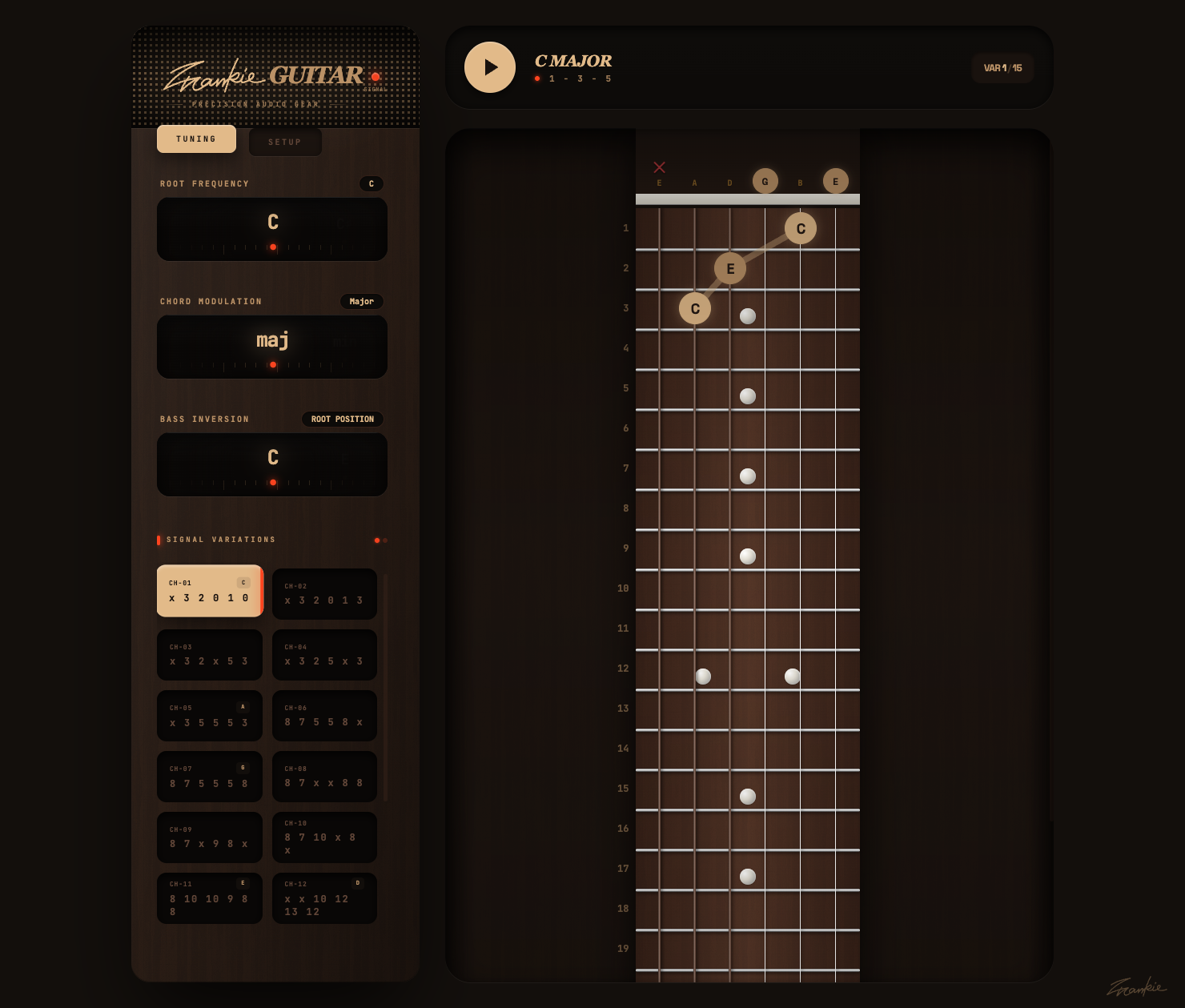
Select a root and a chord quality, from major and minor to seventh, suspended and extended chords. The formula explains which intervals make the chord.
A voicing is one arrangement of a chord’s notes. Browse positions, read the six-string fret notation and hear a synthetic strum or individual notes.
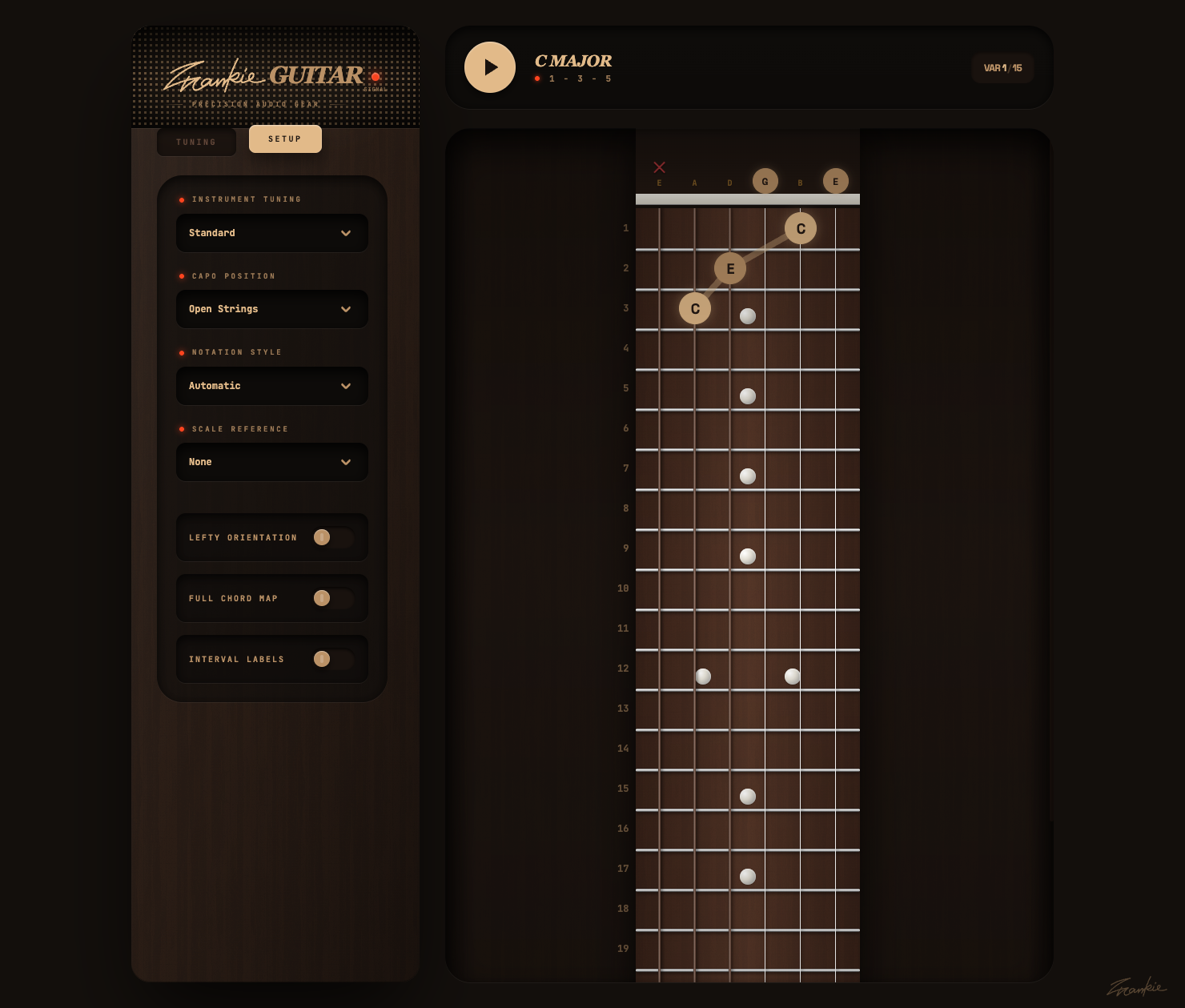
Choose a tuning preset and capo position, mirror the fretboard for left-handed playing, and choose sharp or flat note names.
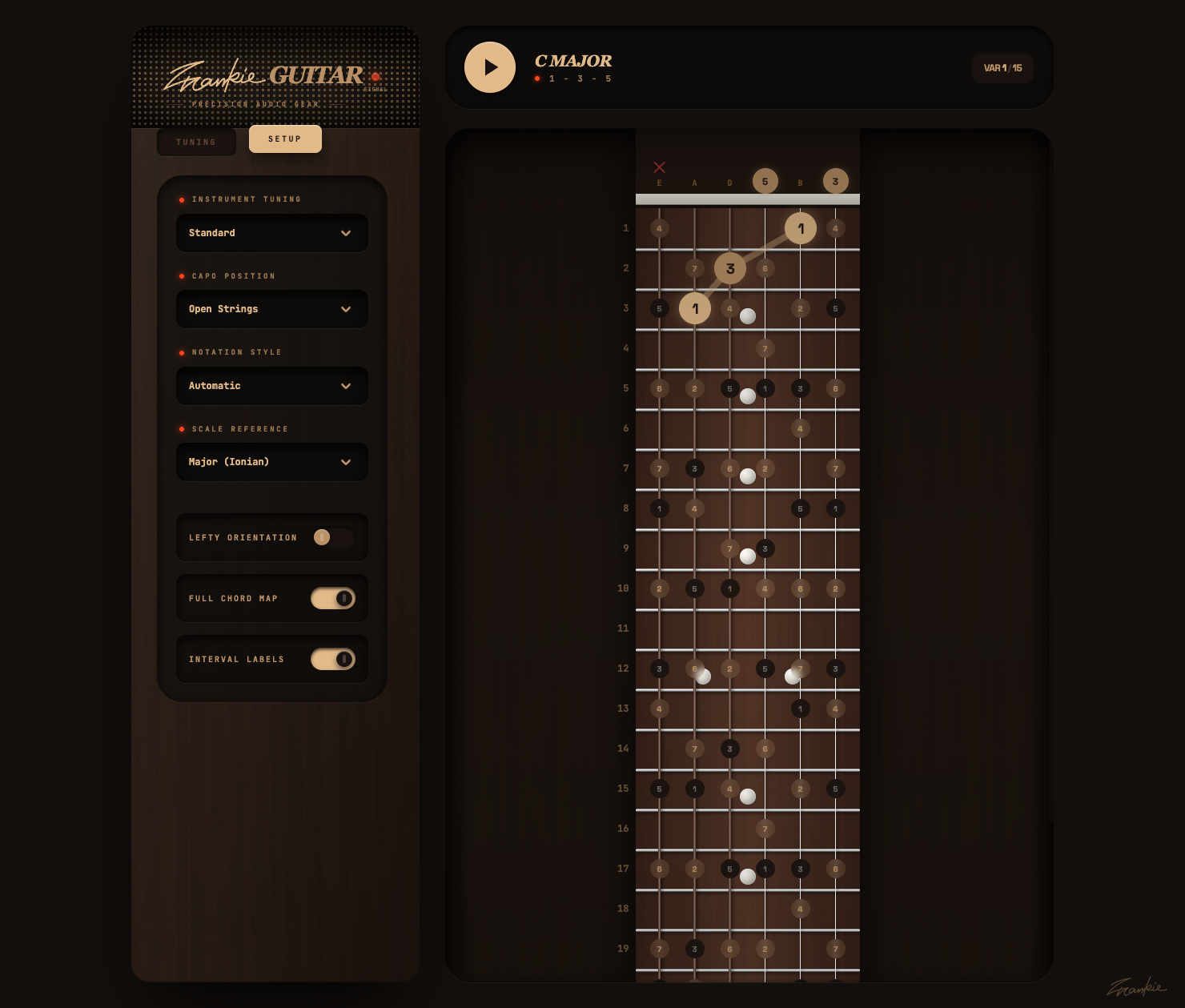
Add a scale reference, reveal the full chord-tone map, or switch note names to intervals. Explore how a selected chord sits inside the surrounding fretboard.
CAGED is named after the open C, A, G, E and D major chord shapes. Moving these forms along a standard-tuned guitar gives different positions for a chord. The shape name describes the fingering pattern, not necessarily the chord you hear.
For example, these five views all play C major: C, E and G. An A-shaped C chord is still C major. Choose a shape below to inspect its real app view and compare where the roots fall.
C shape · x 3 2 0 1 0
These are screenshots of the real app, not a live fretboard. Read the fret numbers from low E to high E; x means a muted string and 0 means an open string. Open the app to hear and change the voicings.
Further reading on the five movable chord forms: D’Addario: A Guitarist’s Guide to the CAGED System ↗
Keep Standard tuning and no capo. The formula 1–3–5 corresponds to C–E–G. Choose the first x 3 2 0 1 0 voicing.
Choose the A badge (x 3 5 5 5 3), then the E badge (8 10 10 9 8 8). The notes stay within C major while the register and arrangement change.
Press Play Chord for a synthetic strum. Tap a note on the board to hear it individually. Compare the root locations instead of memorizing only the outline.
Open Setup. Try Major (Ionian) under Scale Reference, then Full Chord Map and Interval Labels. Change tuning or capo only when it matches the guitar you are using.
The chord search and audio synthesis run in the browser. The online app opens directly. For local use, install Node.js, then run these commands in the repository:
npm install
npm run devThe maintenance guide maps each screenshot and explanation to its source screen or code. Refresh those assets when controls, fretboard rendering or chord behavior changes.
Screenshot and content update guide ↗Code and research notes ↗